Translate your Amazon listing images for amazon.co.jp.
Japanese product pages lean hard on dense, text-rich infographics, so the image is where the sale is won or lost. Fetch your listing by ASIN and get the whole gallery back translated, layout untouched.
On amazon.co.jp, the infographic is the pitch, and yours is in English.
Japanese e-commerce has a genuinely distinct visual culture: detail pages are dense, text-heavy infographics that spell out every spec and use case, and shoppers expect to make the whole decision inside the images before they ever read a bullet point.
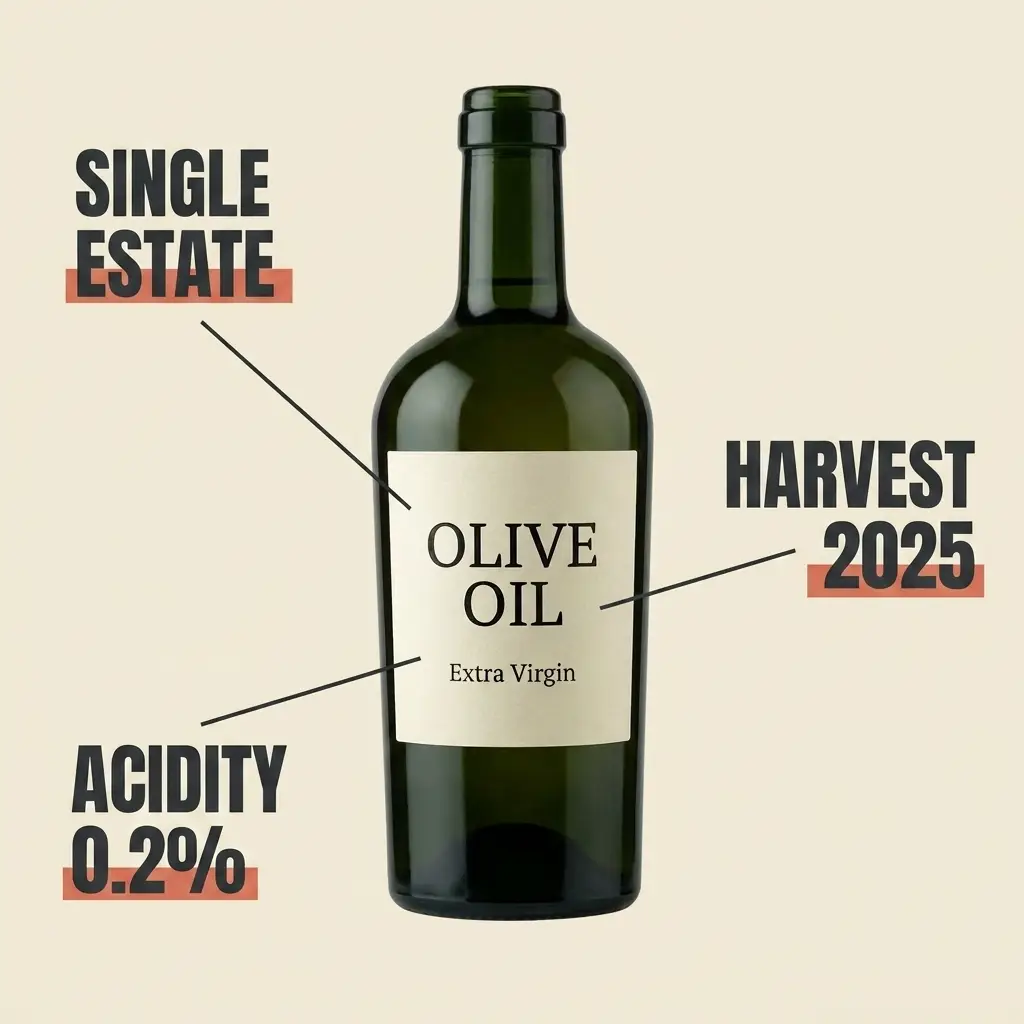
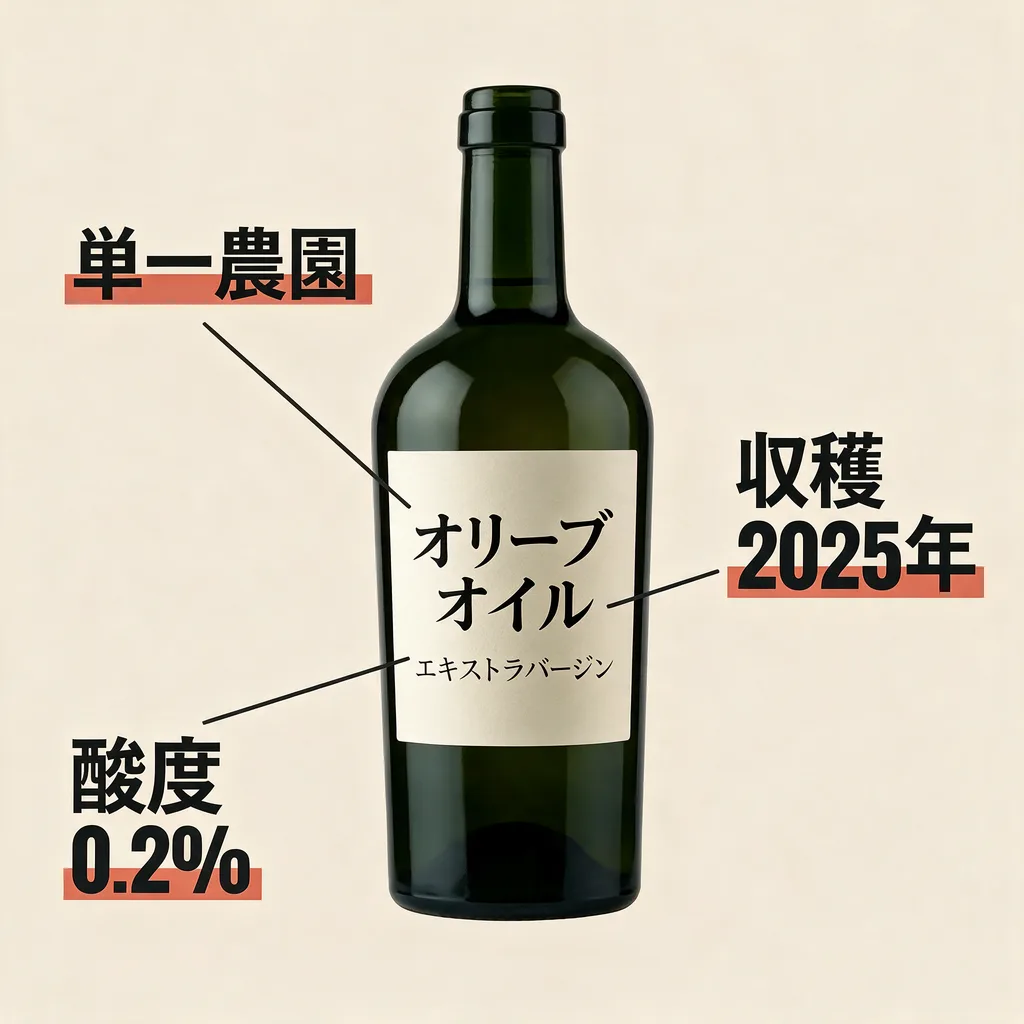
A real pair from this tool: this exact infographic, translated into Japanese in place.
How it works
Paste an ASIN; the image gallery loads in seconds.
Any of 9 marketplaces. Each variant is produced from your original image.
Files named per marketplace, ready to upload through Seller Central.
Frequently asked questions
No. ListingTranslate never connects to your seller account; it produces translated image files for you to download and upload through Seller Central yourself.
Paste your ASIN and the listing’s gallery loads automatically. Pick the images and marketplaces, and each variant is produced from your original image.
Yes, select Japan alongside any of the other 8 marketplaces and the ZIP comes back with files named per marketplace, e.g. amazon.co.jp/B0XXXX.1.png.
Your first image is free. Sign in, no card required. After that, credit packs work out to roughly $0.46–$0.60 per finished image.