Translate your Shopify product images. No source files needed.
Shopify Markets translates your store copy, not the text baked into your images. Upload your product graphics and get them back in any of 14 languages, layout untouched.
Shopify Markets can translate your text. It can’t touch your pixels.
Translate & Adapt localizes titles, descriptions and theme copy, but the size chart, the benefits infographic and the badge on your hero image are pixels. They stay in the source language on every localized storefront.
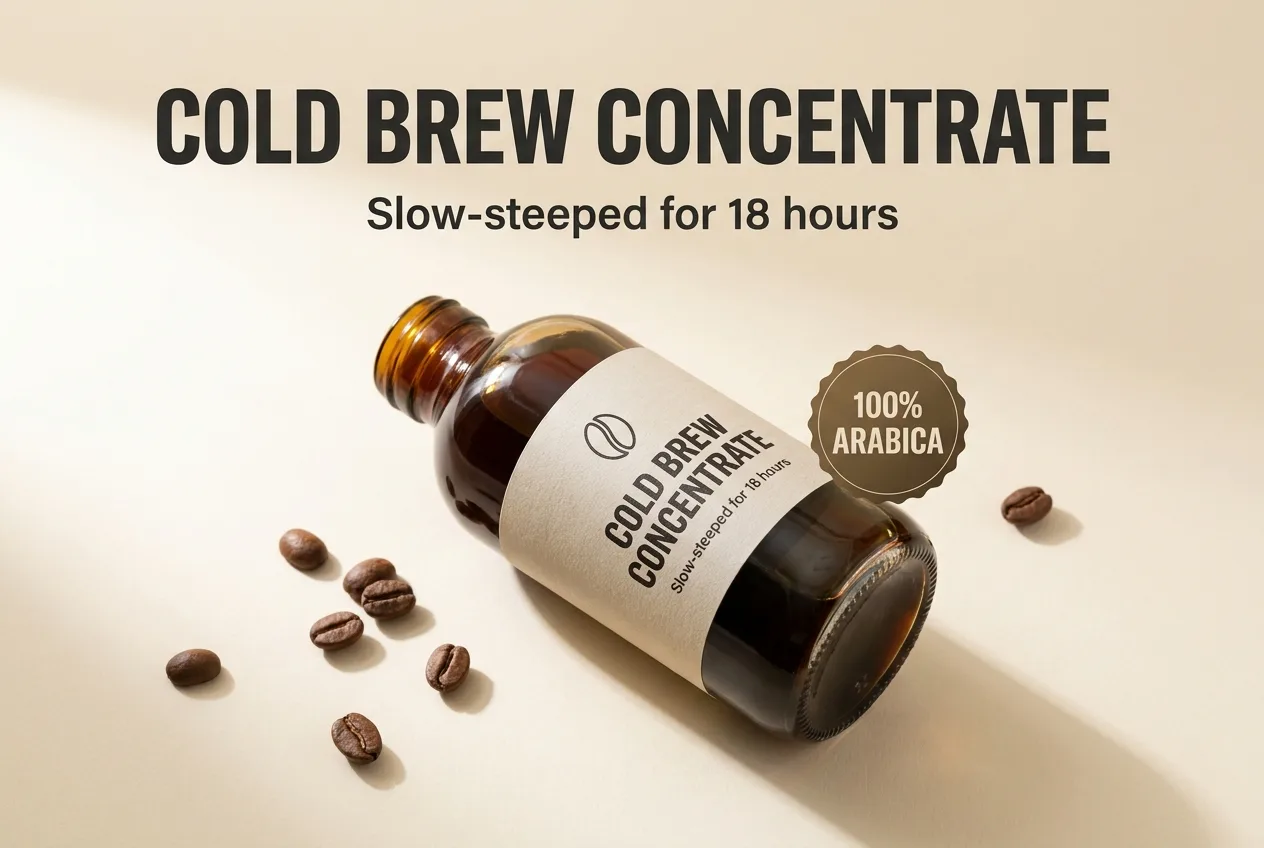
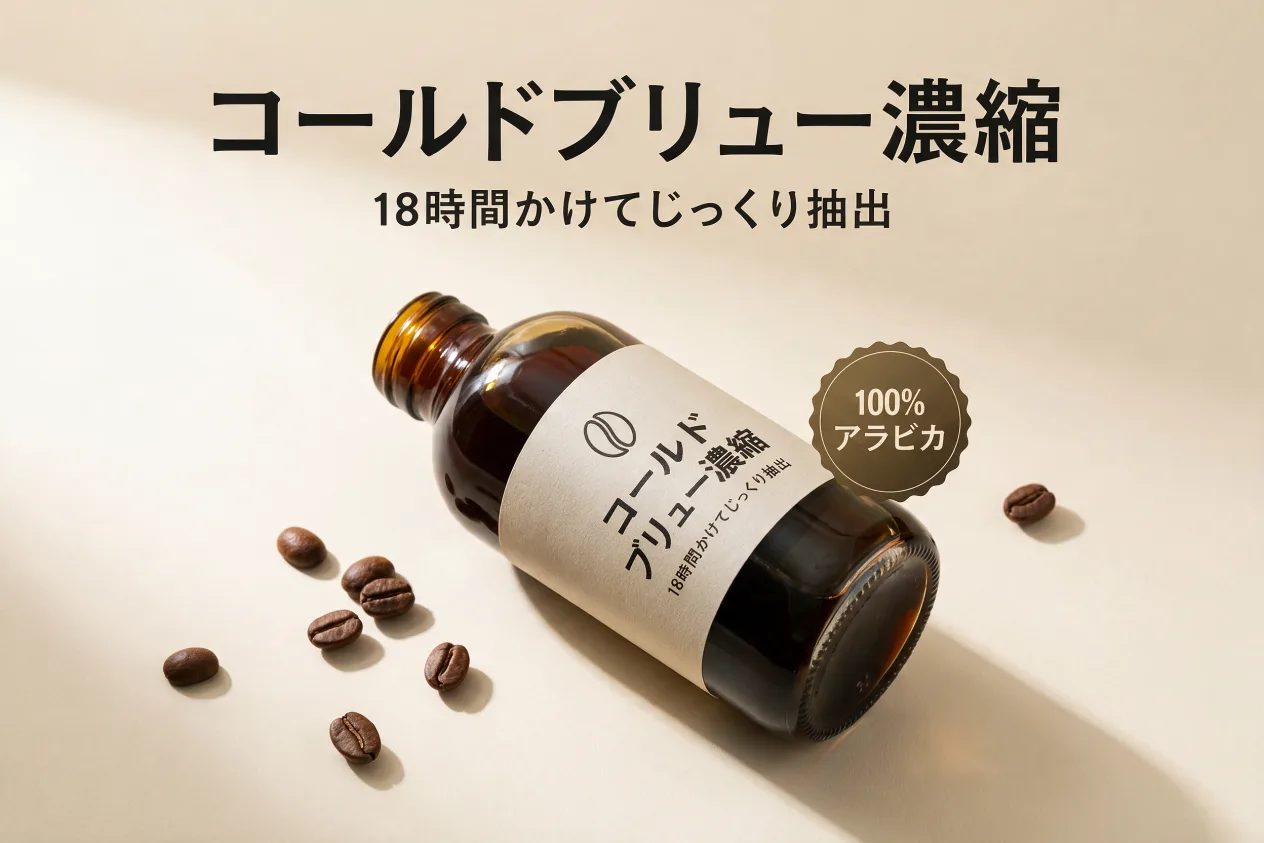
A real pair from this tool: the same product infographic, translated in place.
How it works
PNG or JPG, one image or the whole set. No source files, no fonts.
Any of 14, or describe a find & replace in plain words.
Same layout, same font, translated text, ready to upload to your listings.
Frequently asked questions
No. ListingTranslate never connects to your store. You upload images and download the translated versions, then add them to your store or a per-market image app yourself.
Any of 14 languages, including German, French, Spanish, Italian, Dutch, Portuguese, Japanese and Chinese. You can also describe a custom text edit in plain words.
Yes. The image is regenerated with only the text changed: font, color, size and position are preserved. If a result isn’t right, retrying a failed image is always free.
Your first image is free: sign in, no card required. After that, credit packs work out to roughly $0.46–$0.60 per image depending on pack size.
Just need to fix or replace text, not translate it? Edit text in an image →